PaddleIQ logo

AI stats and coaching for table tennis.

Record one match on your iPhone. PaddleIQ uses computer vision and ball-contact audio to produce stroke stats, match analysis, coaching priorities, and automatic highlights. No sensors required.

Get early access and occasional PaddleIQ product updates. Unsubscribe anytime. See our Privacy Policy.

PaddleIQ app icon

Private iPhone beta

No credit card. Android is in development.

Setup
About 1 minute
Input
One iPhone
Output
AI stats + coaching

Record. Review. Train with a plan.

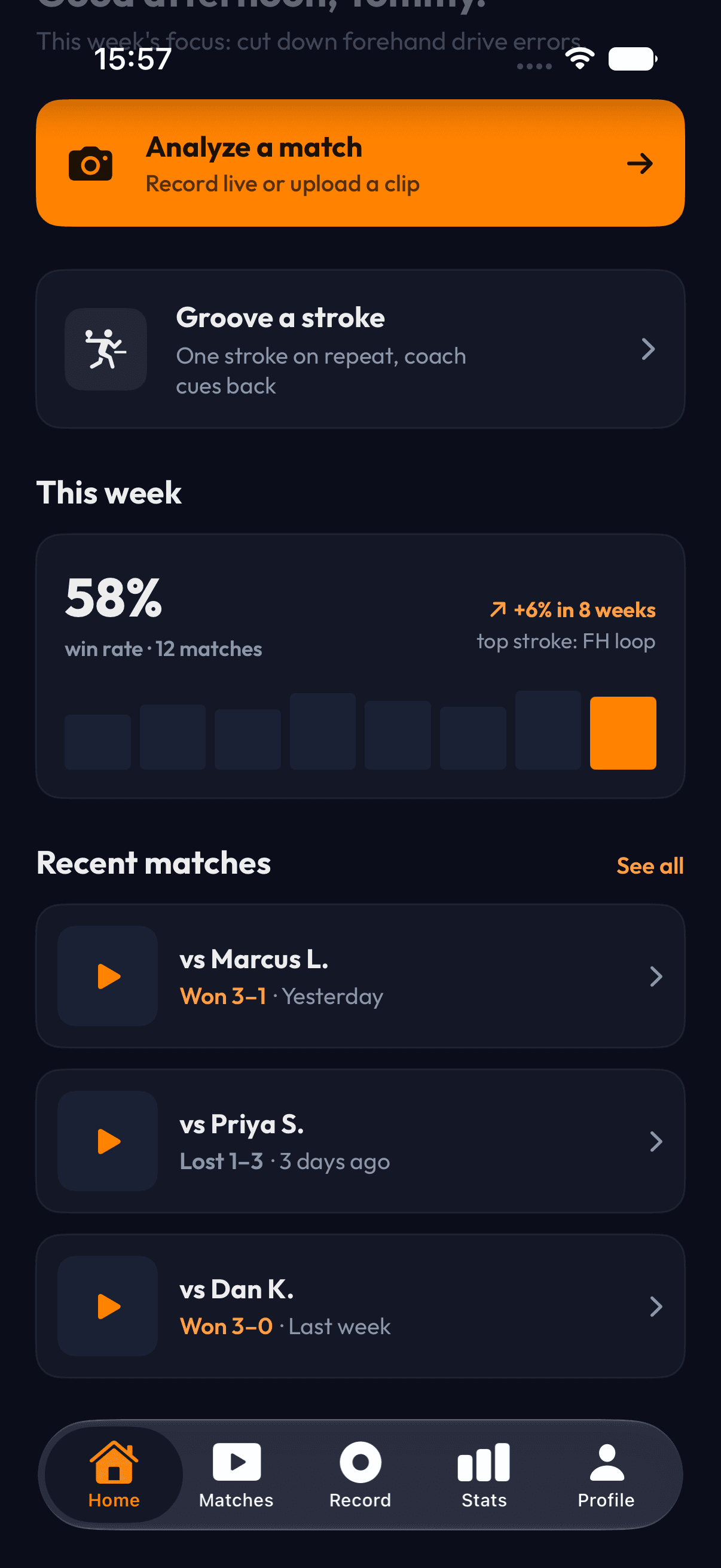
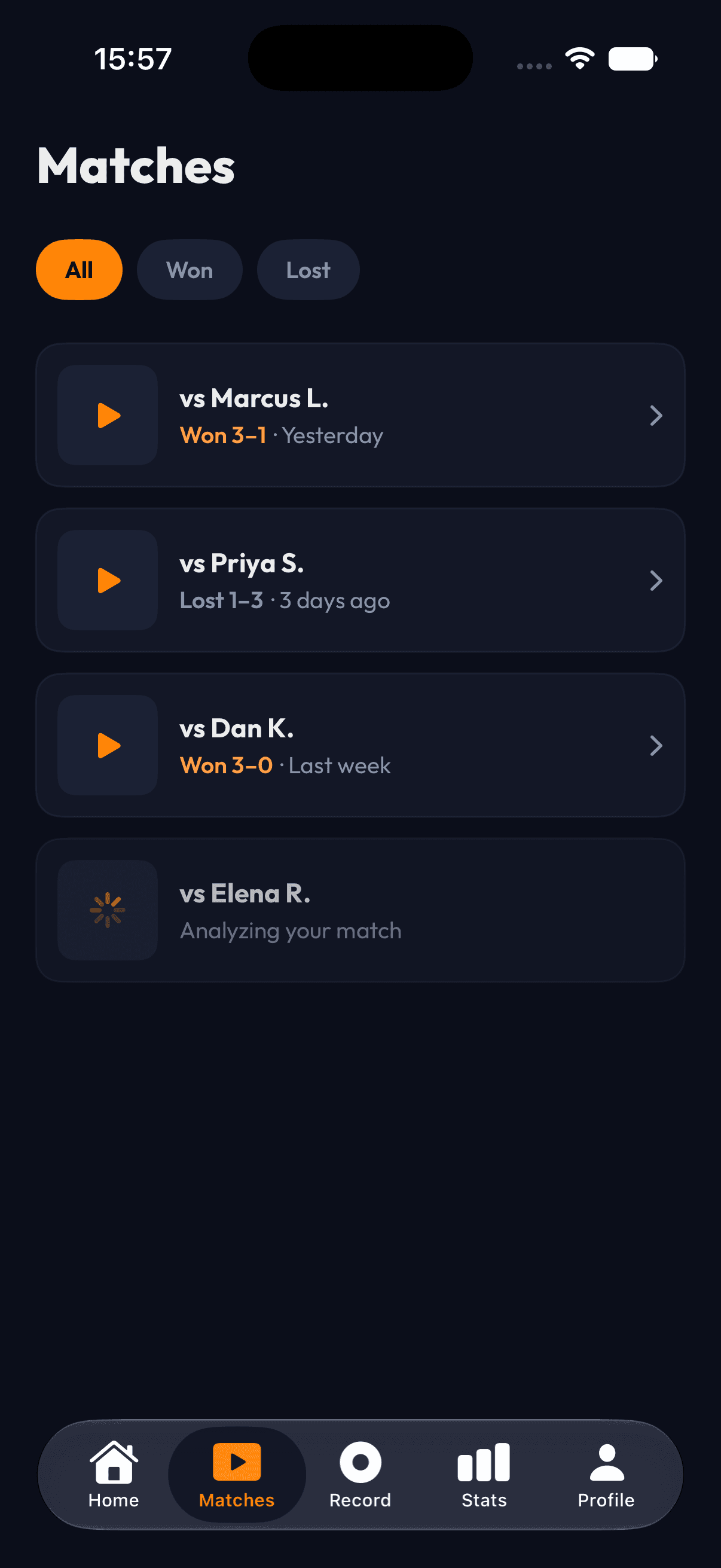
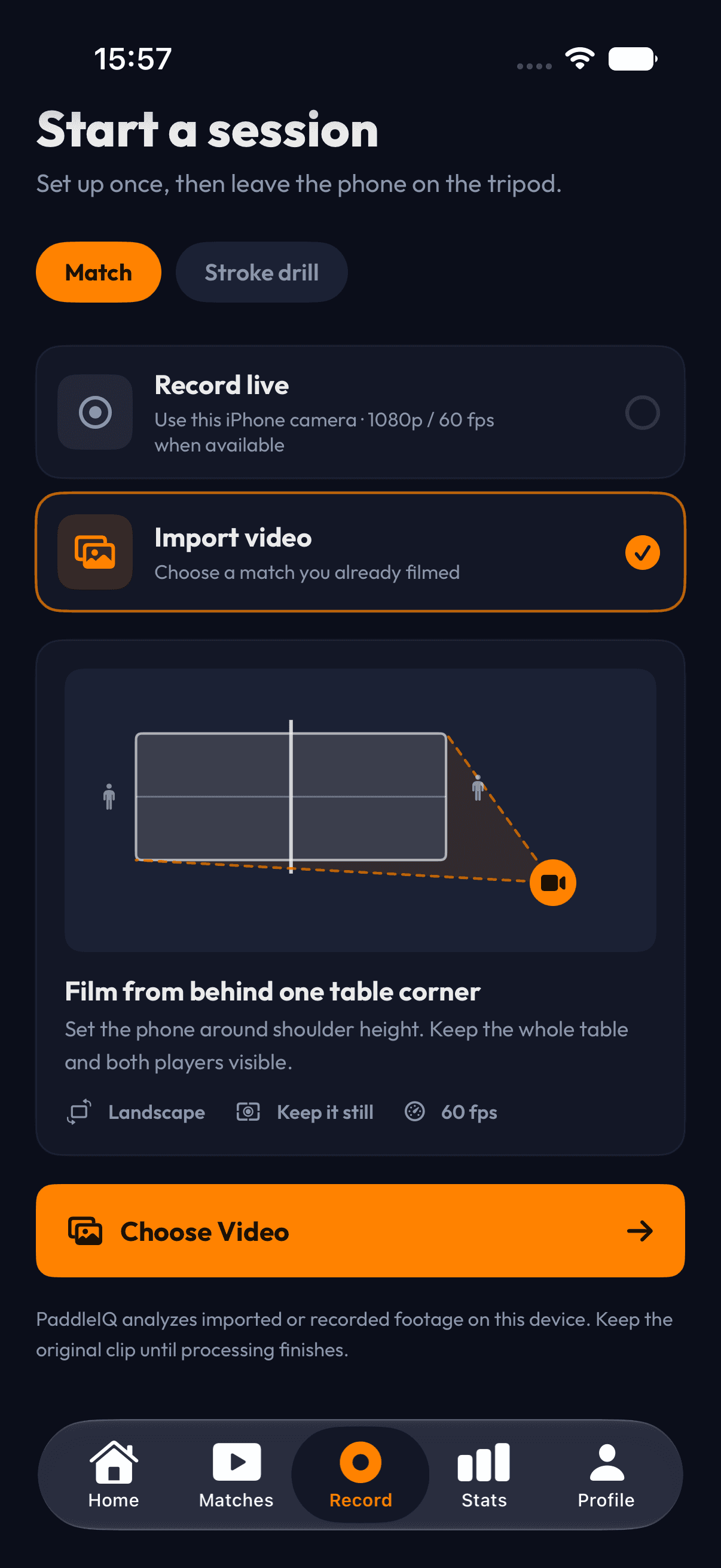
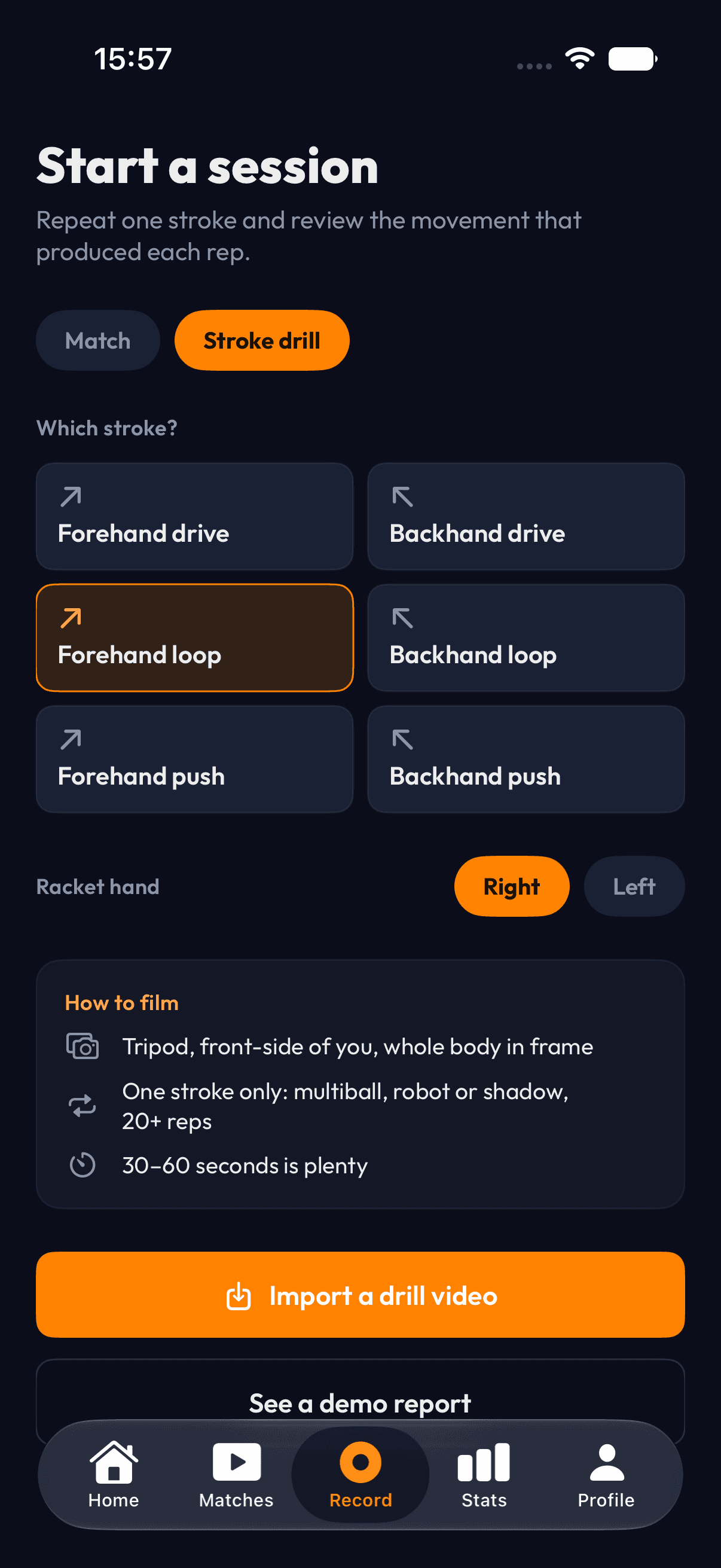
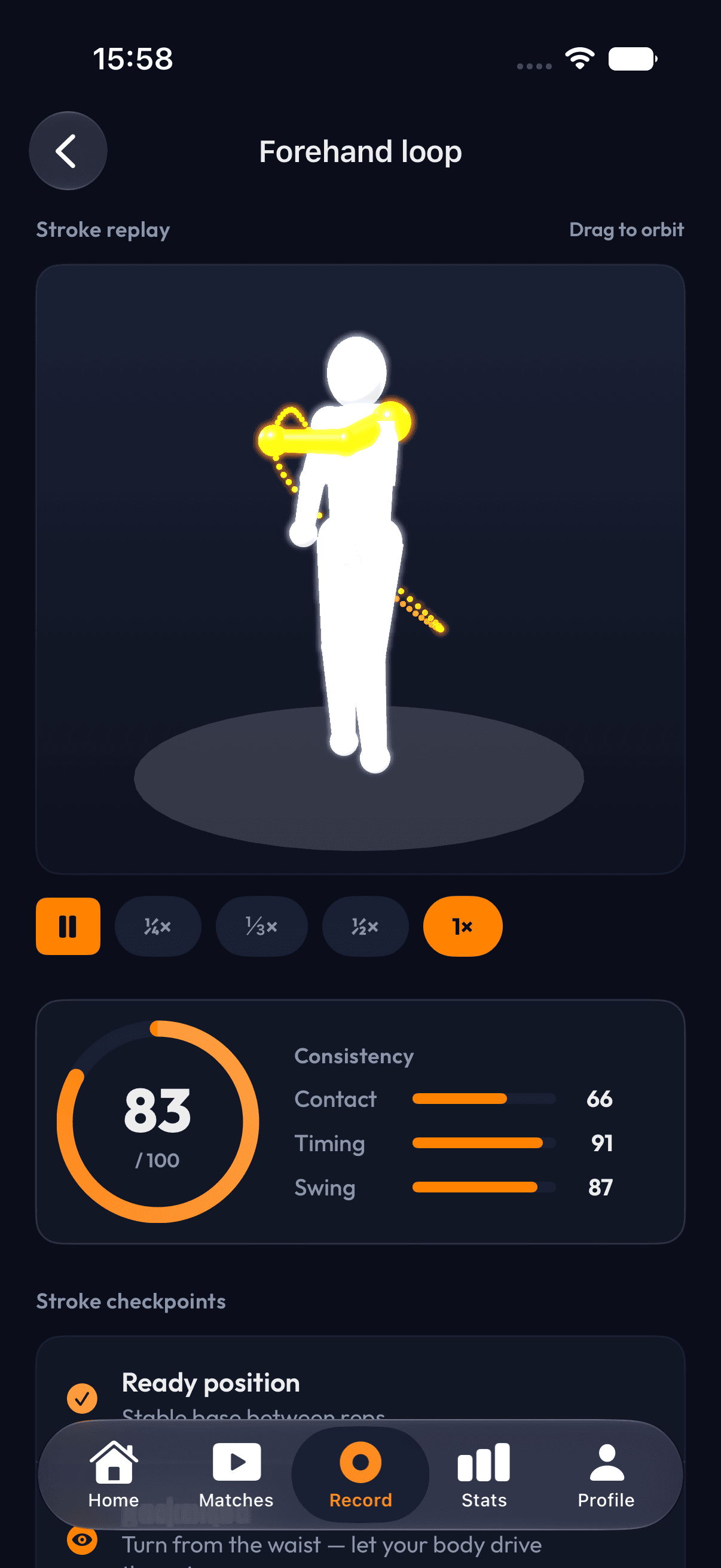
Six real screens take you from a new session to the details behind every stroke.

View stroke analysis

Scroll horizontally to review all six screens.

How it works

One phone records the session. PaddleIQ turns it into a focused plan for the next one.View the full workflow

  1. Record

    Set your iPhone at the table corner and start recording. One angle is enough. No extra hardware or cameras.

  2. Analyze

    PaddleIQ pairs match video with ball-contact audio to follow rallies through common one-camera occlusions.

  3. Improve

    Review strokes, point patterns, and practice priorities after each session. Track what changes over time.

Read the whole rally.

PaddleIQ is built around the movement, contact, and point patterns of table tennis.

Video sees the motion. Audio confirms the contact.

A player can block the paddle or ball from one camera angle. PaddleIQ combines the picture with the sound of each strike to follow the rally through those common occlusions.

Video
Player position, paddle motion, and ball path
Contact audio
The timing of each ball strike
Combined
Stroke, point, and rally analysis
  • One phone. Common strokes.

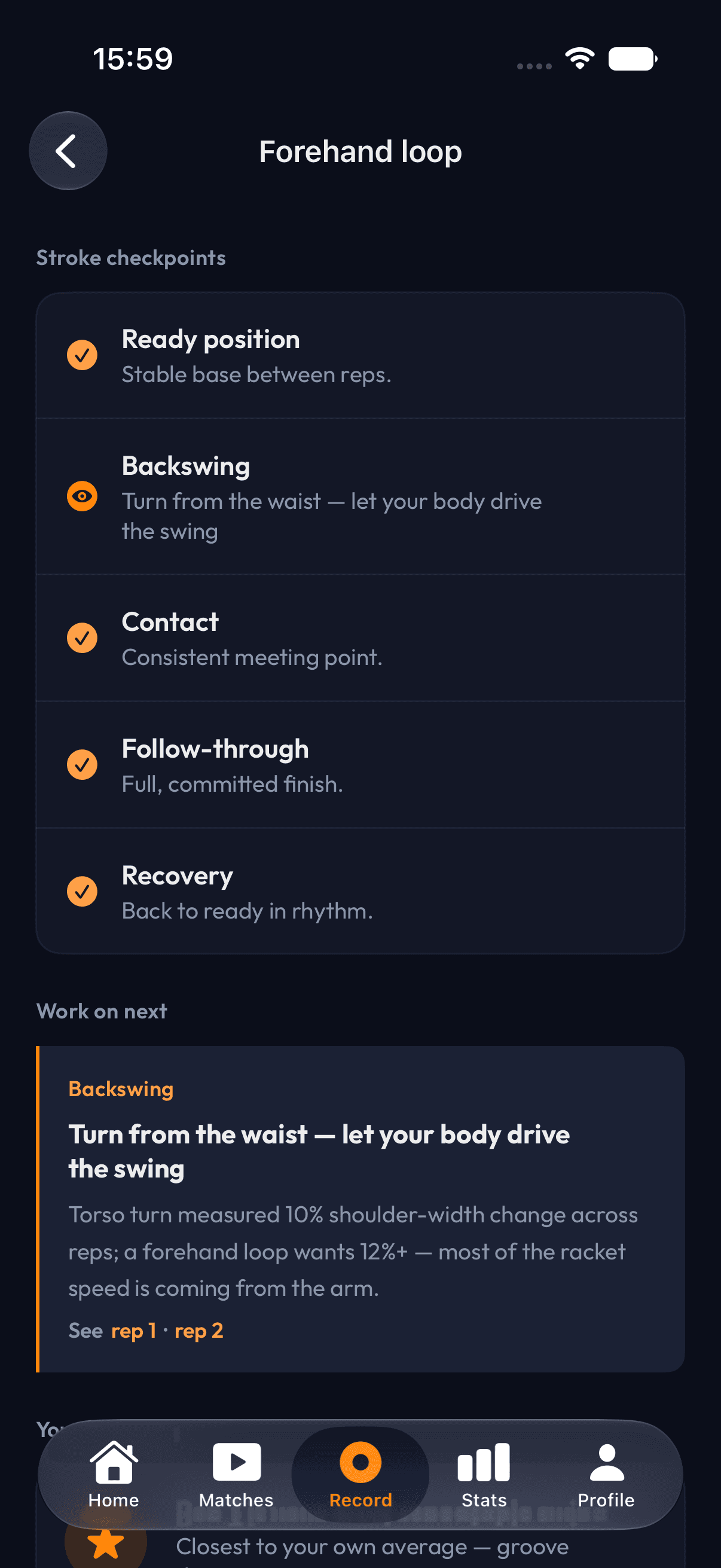
    Review forehands, backhands, serves, pushes, and loops from a single recording. No sensors or extra cameras.

    Explore stroke analysis
  • Patterns you can train.

    See where points were won and lost, then follow stroke consistency and match trends across sessions.

    Explore AI match stats
  • Highlights without editing.

    PaddleIQ finds your best rallies and cuts them into shareable clips automatically. No scrubbing through footage. No editing. Just tap and share.

    See how it works

Know what changed the match.

Move from the score to stroke consistency, point patterns, and a clear priority for the next session.

Explore AI match stats
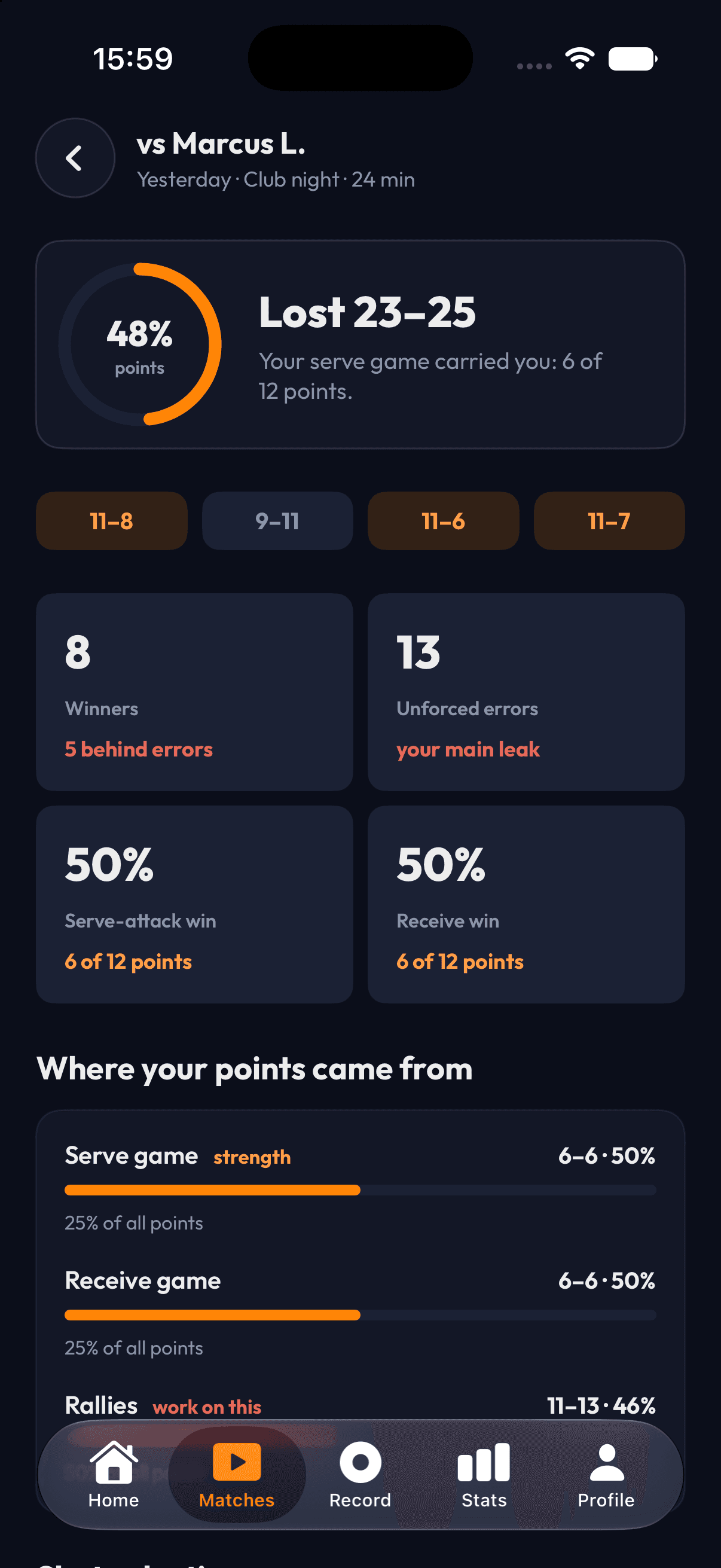
PaddleIQ match summary

Understand the result

Move past the final score and see which parts of your game held up.

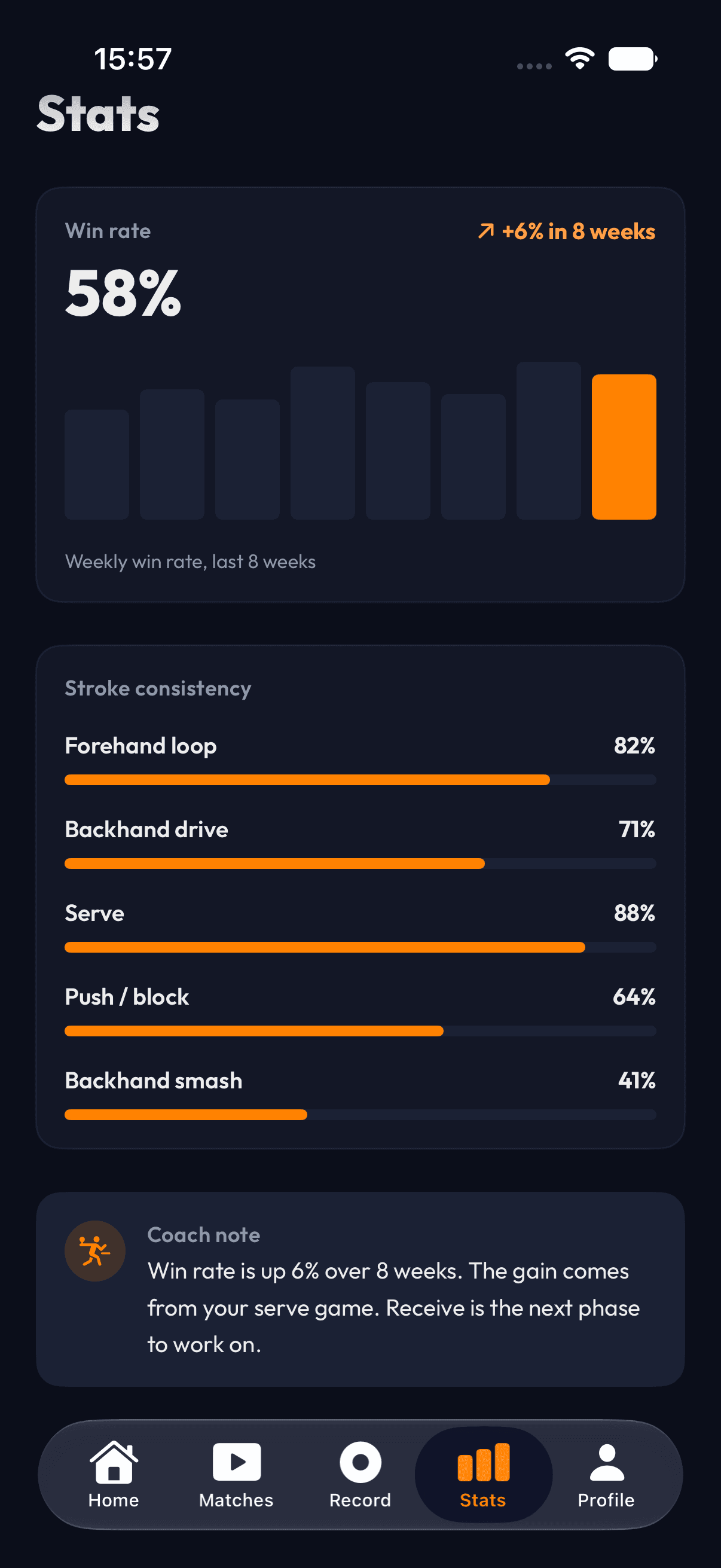
  • PaddleIQ progress statistics

    Track progress

    Follow win rate and stroke consistency over time.

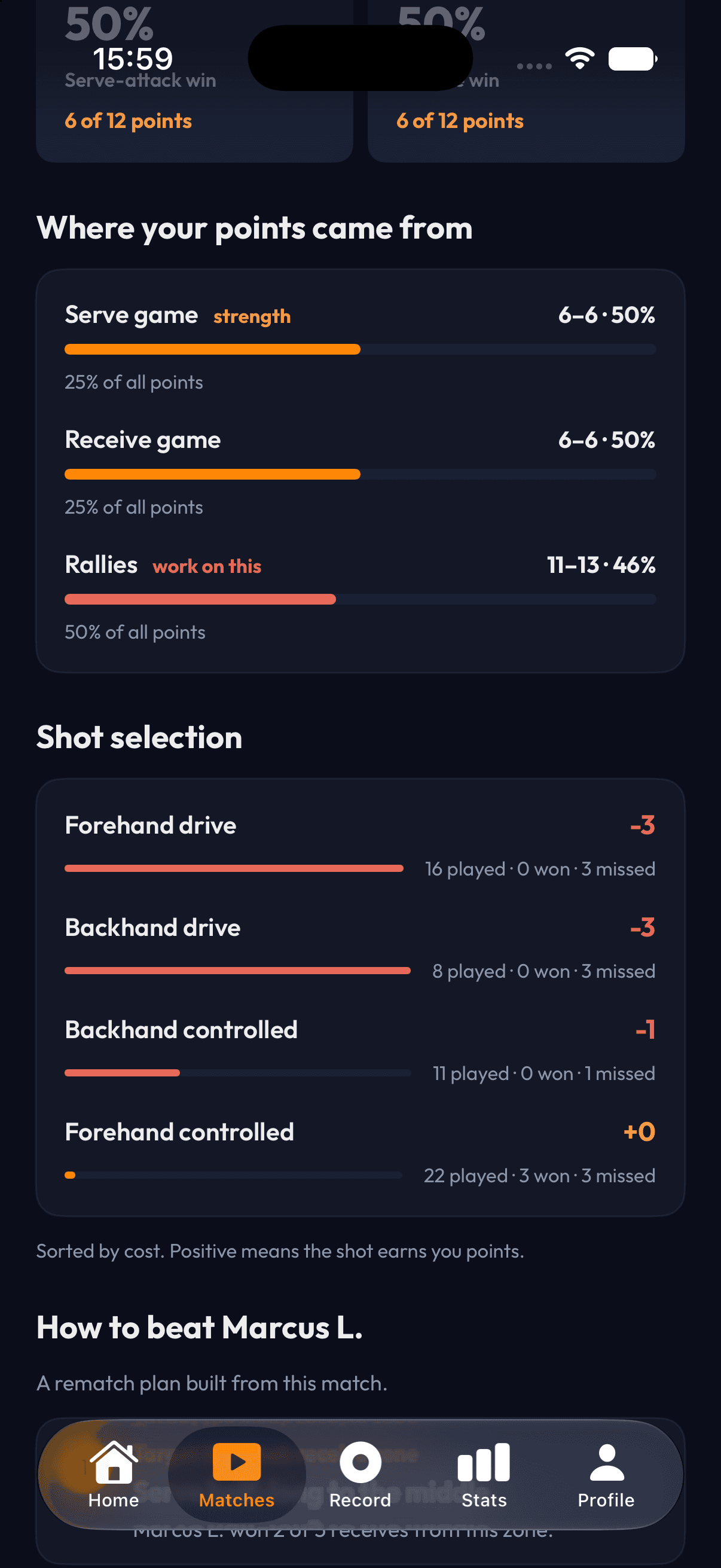
  • PaddleIQ match shot selection analysis

    Plan the rematch

    Turn shot selection and point patterns into a clear game plan.

Before you record

PaddleIQ is built for one recent iPhone, a 1080p and 60 fps recording, and a clear corner view of the table.

Device

Recent iPhone

The current beta runs on iOS. Android is not supported yet.

Recording

1080p at 60 fps

Set the phone at one end of the table, angled diagonally across at table height or slightly above.

Equipment

A stable phone support

A tripod, phone stand, or sturdy chair works. No sensors, wearables, or second camera are required.

Best fit

Committed club players

Designed for players who train weekly and want a clear practice focus after each match.

Early access is free during beta

Join the iPhone beta and test the current recording, stroke, and match-analysis workflow at no cost.

Free during beta

iPhone beta

The current beta includes the core one-phone recording and match-analysis workflow.

  • Record or import one-phone match video
  • Basic stroke detection
  • Match and point analysis
  • Automatic highlight clips
View beta details

In development

Pro

A paid Pro plan is in development. Its feature set and price have not been finalized.

See pricing status

Bring PaddleIQ to your club

Give members match reports and club-branded highlights they can revisit and share. Players record on their own iPhones, so the club does not need a camera system.

Discuss a club pilotView club details

Progress members can revisit

Stroke and match reports give players a concrete focus for the next session.

Clips with club context

Club-branded highlights keep the venue visible when players choose to share them.

No club hardware

Players record with their own iPhones. Your staff does not need to manage sensors or cameras.

Questions before you record

What equipment do I need?
A recent iPhone that records at 1080p and 60 fps, plus something to hold it near table height. A tripod, phone stand, or sturdy chair works. No sensors, wearables, or extra cameras are required.
Where should I place the iPhone?
Place it at one end of the table and angle it diagonally across the court, at table height or slightly above. This corner view is required so PaddleIQ can see both players and track the ball.
How does one-phone analysis compare with sensors?
Paddle sensors and multi-camera systems are more precise in controlled settings. PaddleIQ uses video and ball-contact audio for a practical one-phone setup. A blocked view can reduce what the app can identify.
Is Android supported?
No. The current beta runs on iPhone. Android is not supported yet.
What does beta access cost?
Early access is free during beta. Pro is in development, and its price has not been set.
How are my email and footage handled?
The website collects your email only when you join early access. Read the PaddleIQ Privacy Notice for details. App footage-processing terms will be published before video uploads are released.

Your next practice starts with the last match.

Join early access for the iPhone beta and launch updates.

Get early access and occasional PaddleIQ product updates. Unsubscribe anytime. See our Privacy Policy.